
Issue: System does not allow user to turn off the firewall as shown below image.
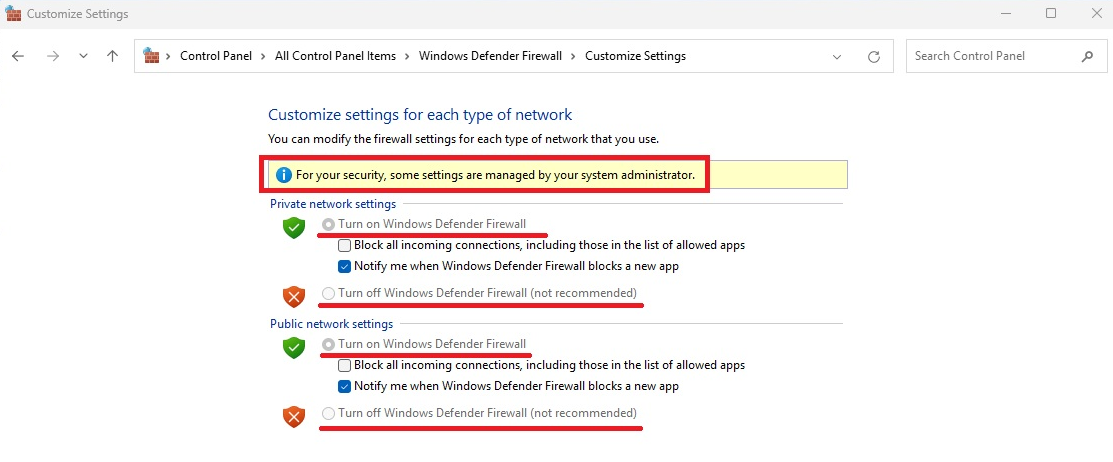
Solution: Disable the Firewall
To disable the firewall through the registry, start regedit.exe and navigate to [HKEY_LOCAL_MACHINE\SOFTWARE\Policies\Microsoft\WindowsFirewall]
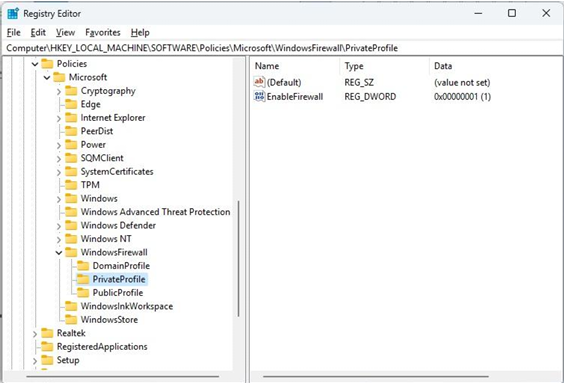
Under PrivateProfile and\or PublicProfile, either delete EnableFirewall or change the value as defined below. Value Behavior 1 Windows Firewall enabled 0 Windows Firewall disabled Value Deleted Firewall policy setting removed; behavior depends on local configuration and other policies